
Engage the Room:
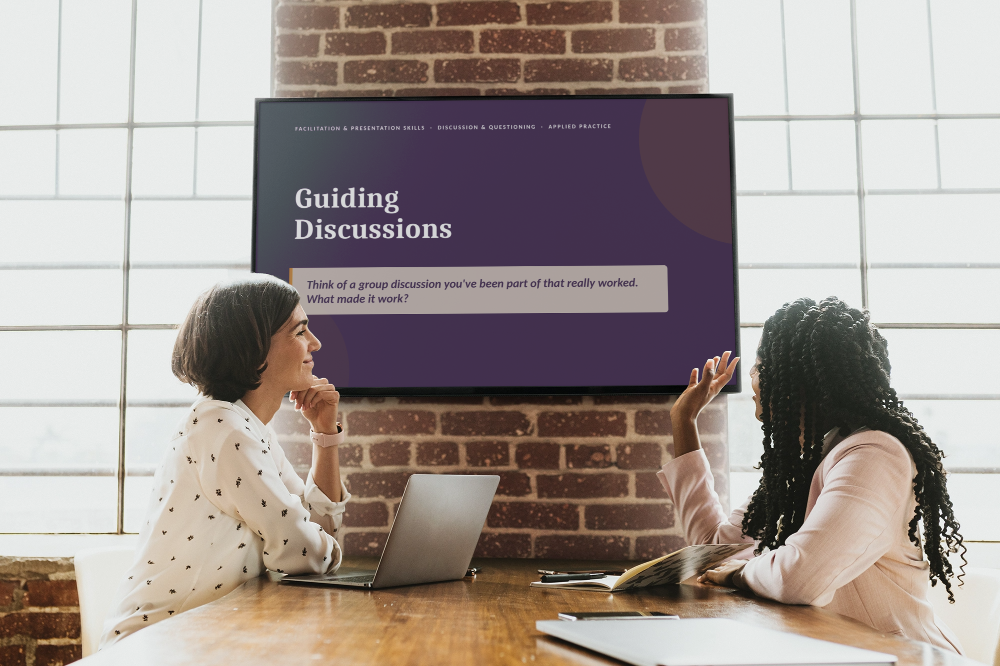
A series of instructor-led practice labs that give learners opportunities to apply skills introduced through prerequisite micro-learning. Rather than reteaching concepts, the 60-minute workshops focus on realistic practice, peer feedback, reflection, and immediate application.
Audience: Corporate professionals preparing to lead workplace discussions and presentations
Responsibilities: Instructional Design and Development
Tools Used: Microsoft PowerPoint, Microsoft Word, Claude AI, ChatGPT, Adobe Premiere Pro
This is a recreated version of a professional instructor-led learning experience I designed for a corporate client.
The learning strategy, workshop structure, and practice approach reflect my original work, while the branding, scenarios, examples, and proprietary content have been replaced for use in my public portfolio.
The Problem
Learners had already been introduced to core communication concepts through self-paced micro-learning, but understanding a skill is different from being able to apply it in the moment.
The live experience was needed to bridge that gap without repeating content learners had already completed, providing a safe environment to build confidence in applying the skills in realistic workplace situations.
The Solution
I designed two 60-minute, instructor-led practice labs to complement prerequisite micro-learnings on business presentation and facilitation skills.
Instead of using live time to deliver more content, I structured each workshop around application. Learners briefly revisited key concepts, then spent most of the session observing, practicing, receiving peer feedback, and reflecting on how they would apply the skills in future workplace situations.
Although both workshops followed the same practice-first philosophy, I designed different practice mechanics based on the skills learners needed to develop.
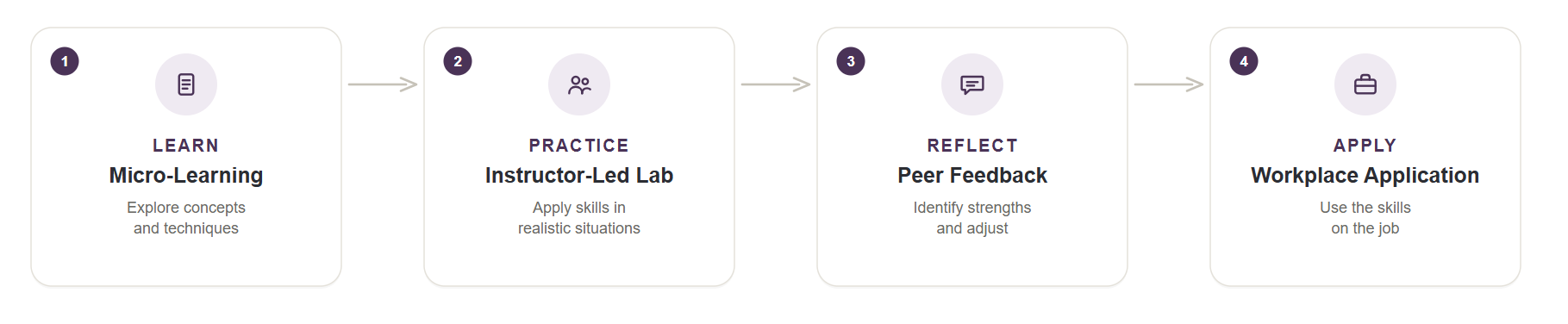
Key Design Decisions
Use live time for practice:
The prerequisite micro-learnings introduced the core concepts, allowing synchronous time to focus primarily on application rather than repeated instruction.
Build toward complexity:
Practice activities progressed from focused skill rehearsal to situations requiring learners to respond and adapt in real time.
Make feedback specific:
Observation criteria and defined feedback roles focused peers’ attention on observable behaviors rather than general impressions.
Create another attempt:
Learners had opportunities to apply feedback during the workshop, turning feedback into input for continued practice rather than an endpoint.
The Practice Labs
Lab 01: Guiding Discussions
The first practice lab focused on questioning and discussion-management skills. Learners observed the target behaviors in action before practicing them in two increasingly challenging rounds.
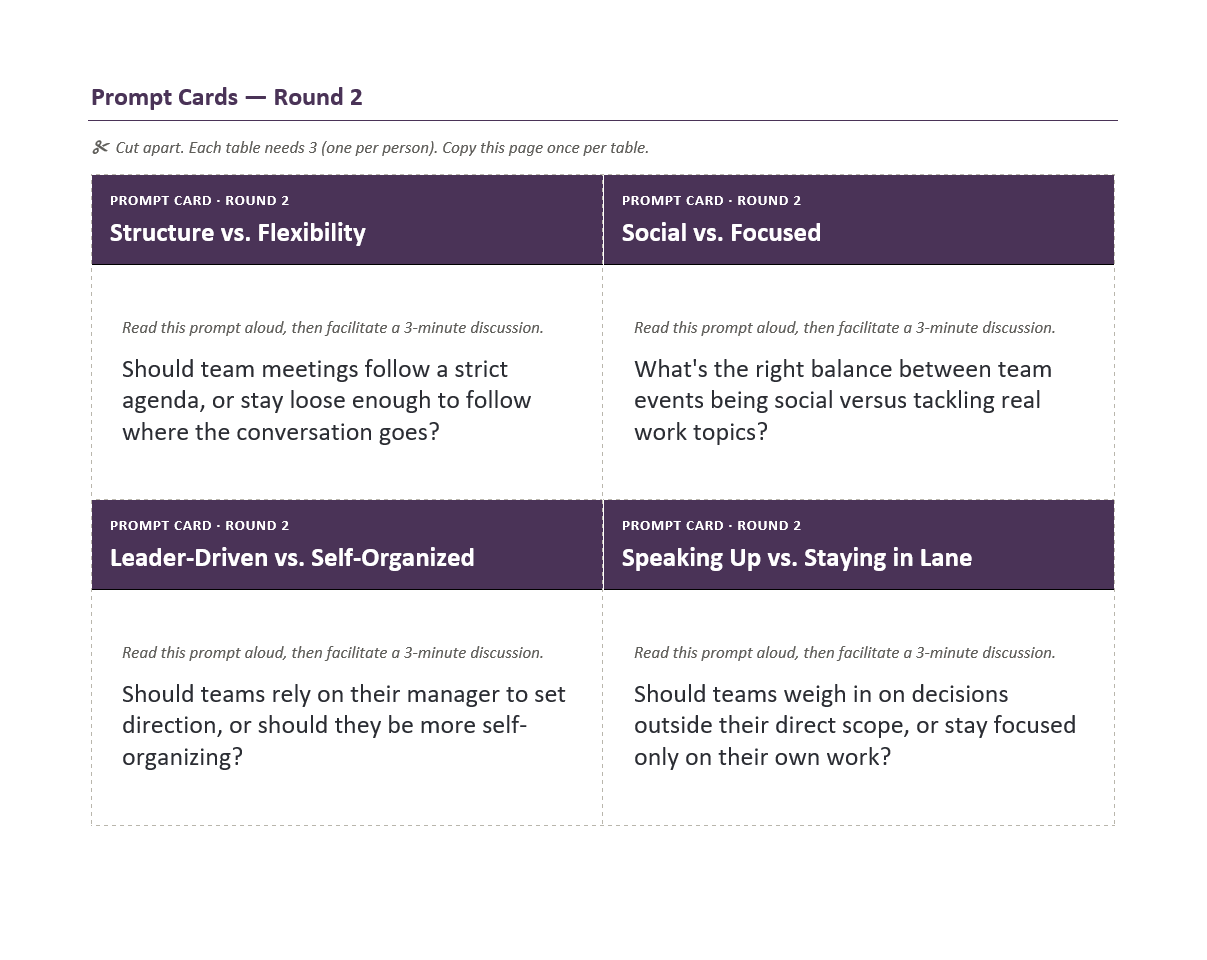
The first round isolated foundational questioning behaviors, giving learners space to practice asking open questions, probing for deeper responses, and allowing intentional pauses. The second round introduced realistic disruptions that required learners to redirect conversations, balance participation, and synthesize group input in real time.
Designing for Realistic Application
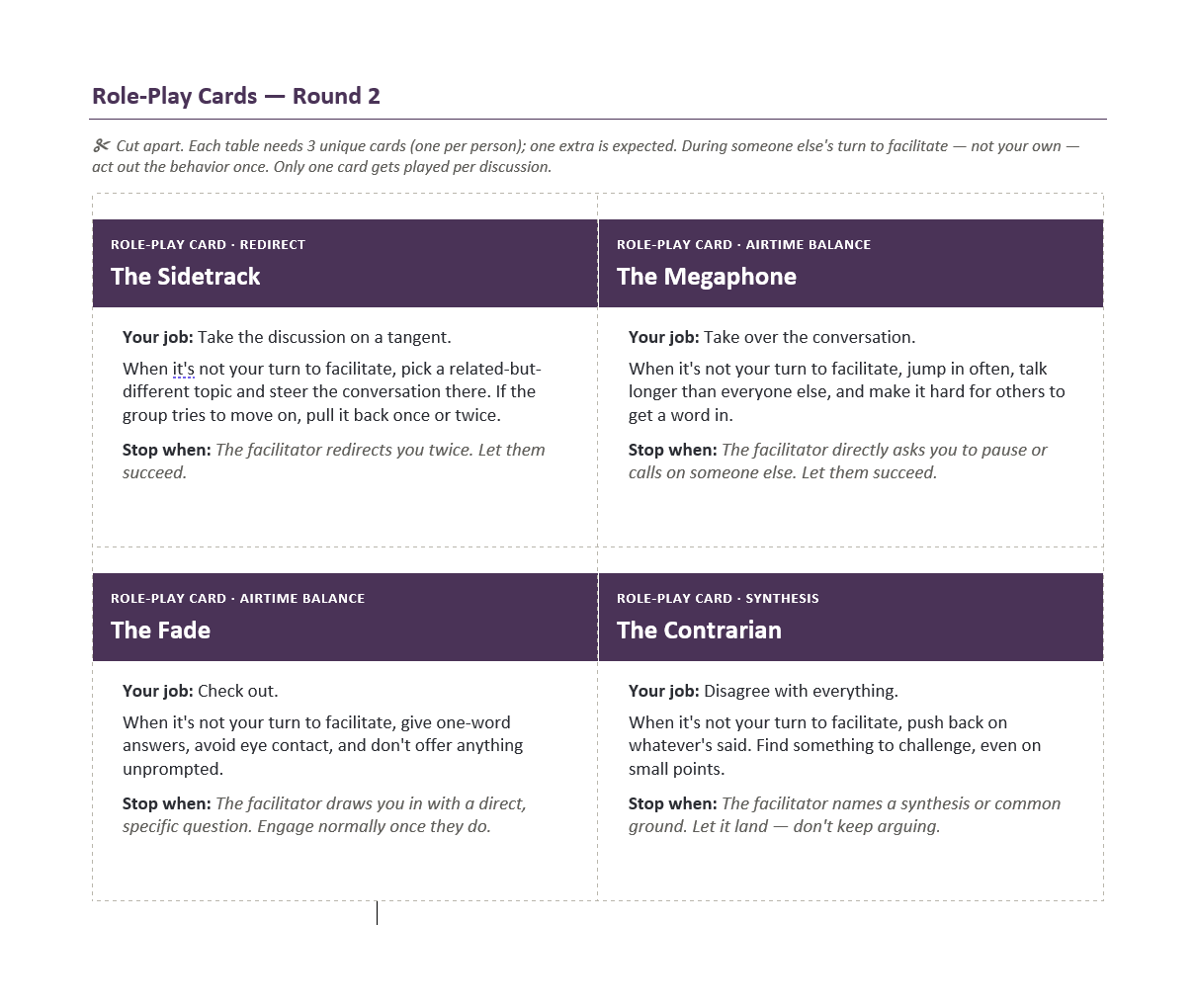
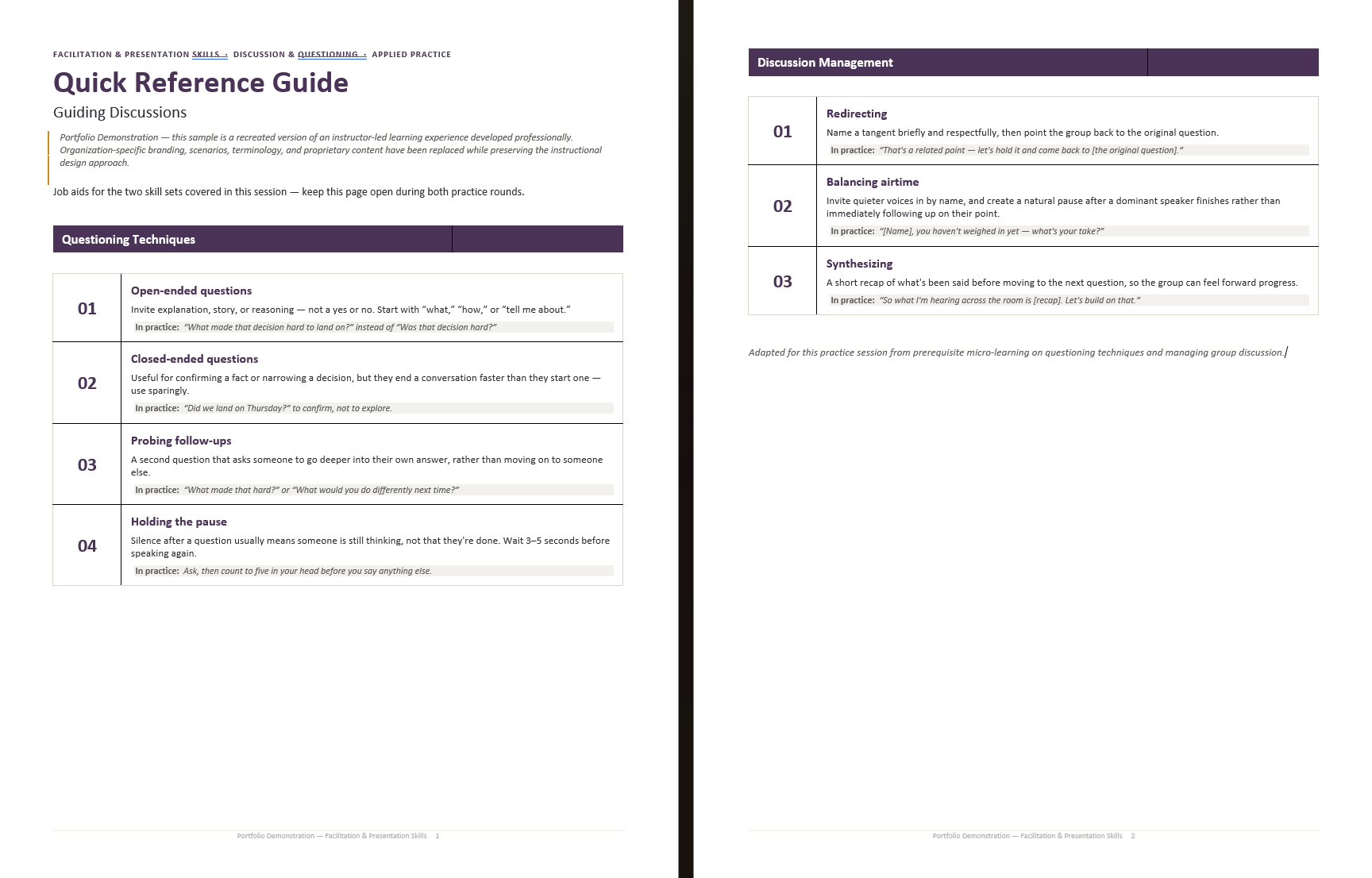
To make the second practice round more authentic, I designed role-play cards that introduced specific participant behaviors into the discussion. Rather than explaining how they would respond to a challenging group dynamic, learners had to notice the behavior and respond while actively facilitating.
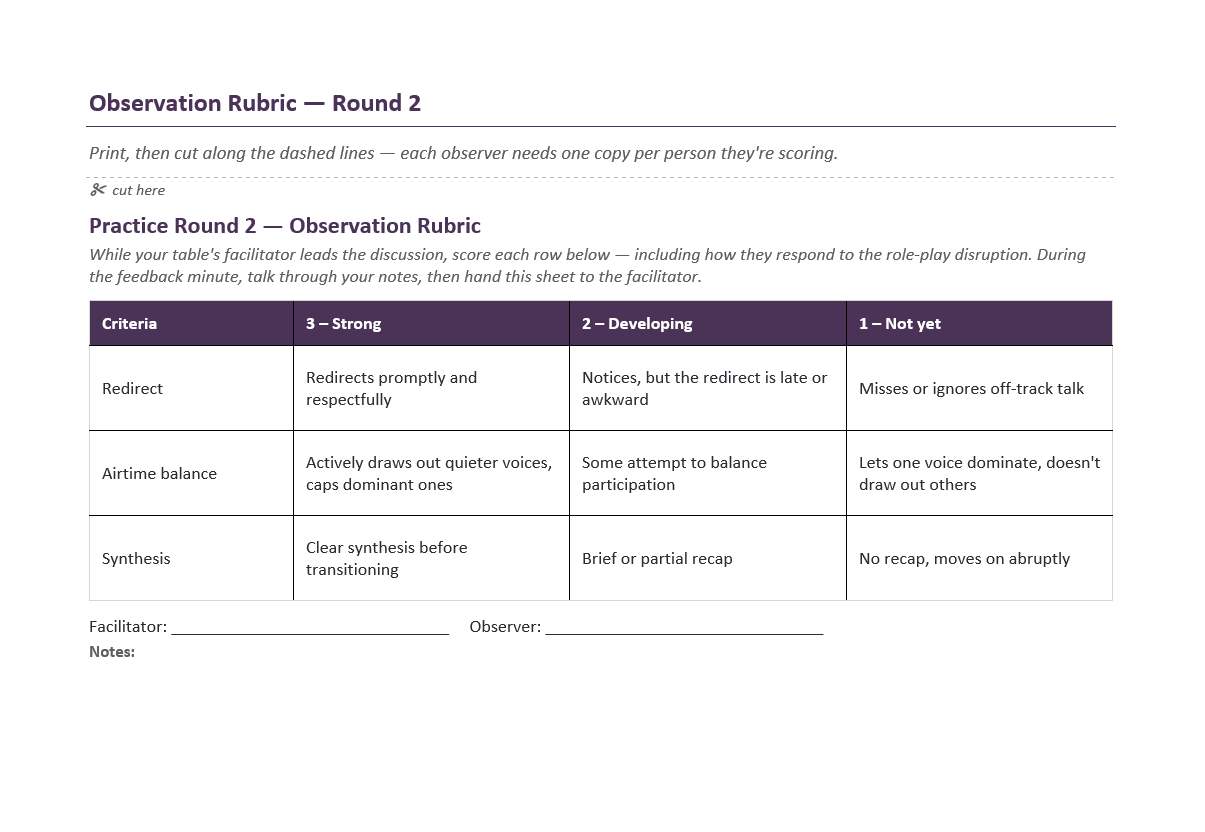
Structured observation tools gave peers specific behaviors to watch for and created focused feedback after each attempt.
Lab 02: Telling a Story
The second practice lab focused on turning presentation concepts into an effective workplace message. Learners arrived with a message and supporting visual, refined their work, and then practiced delivering it in a small group.
Designing for Feedback and Iteration
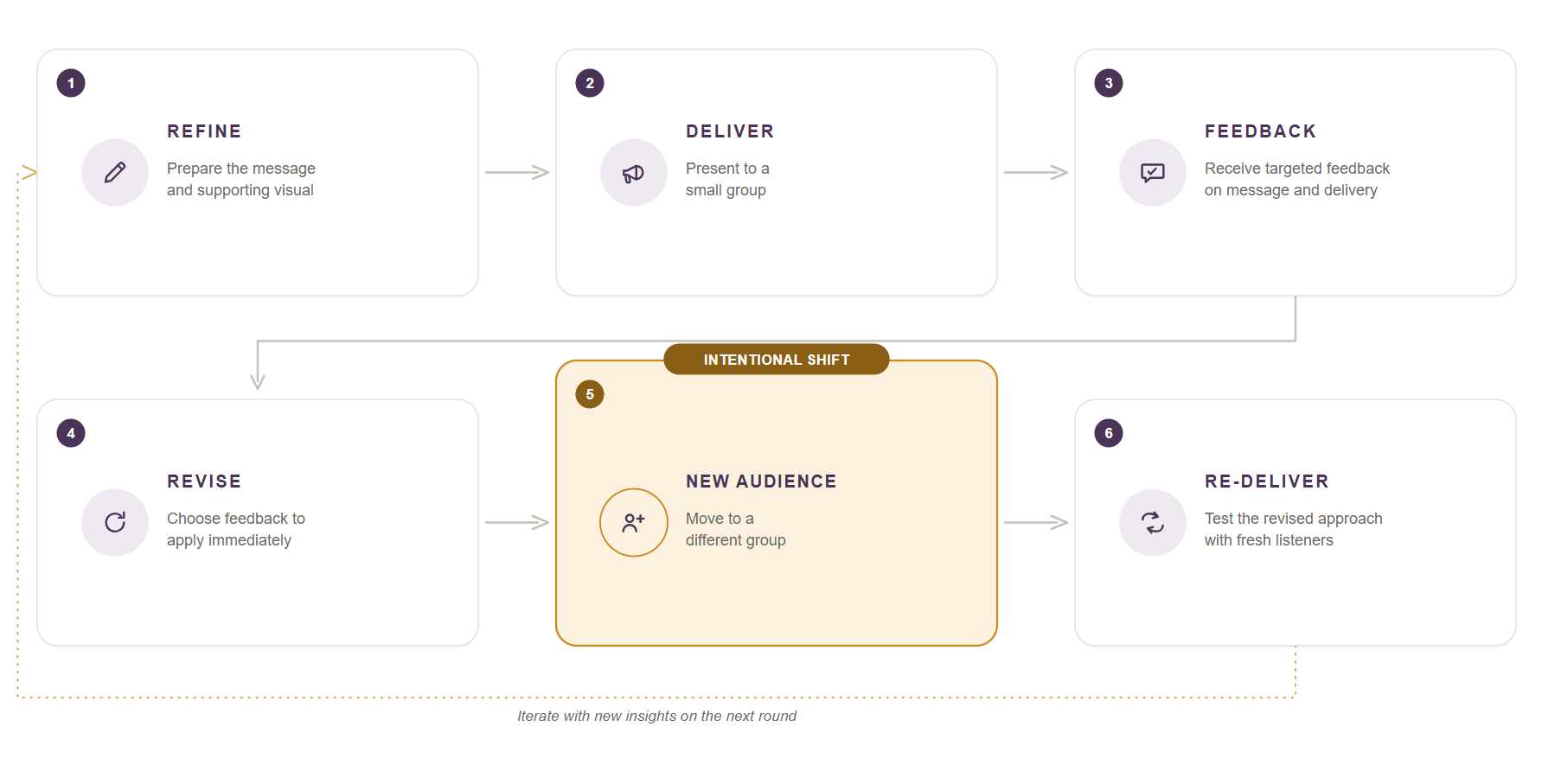
Instead of ending the experience after one presentation, I built an immediate feedback-and-revision cycle into the workshop.
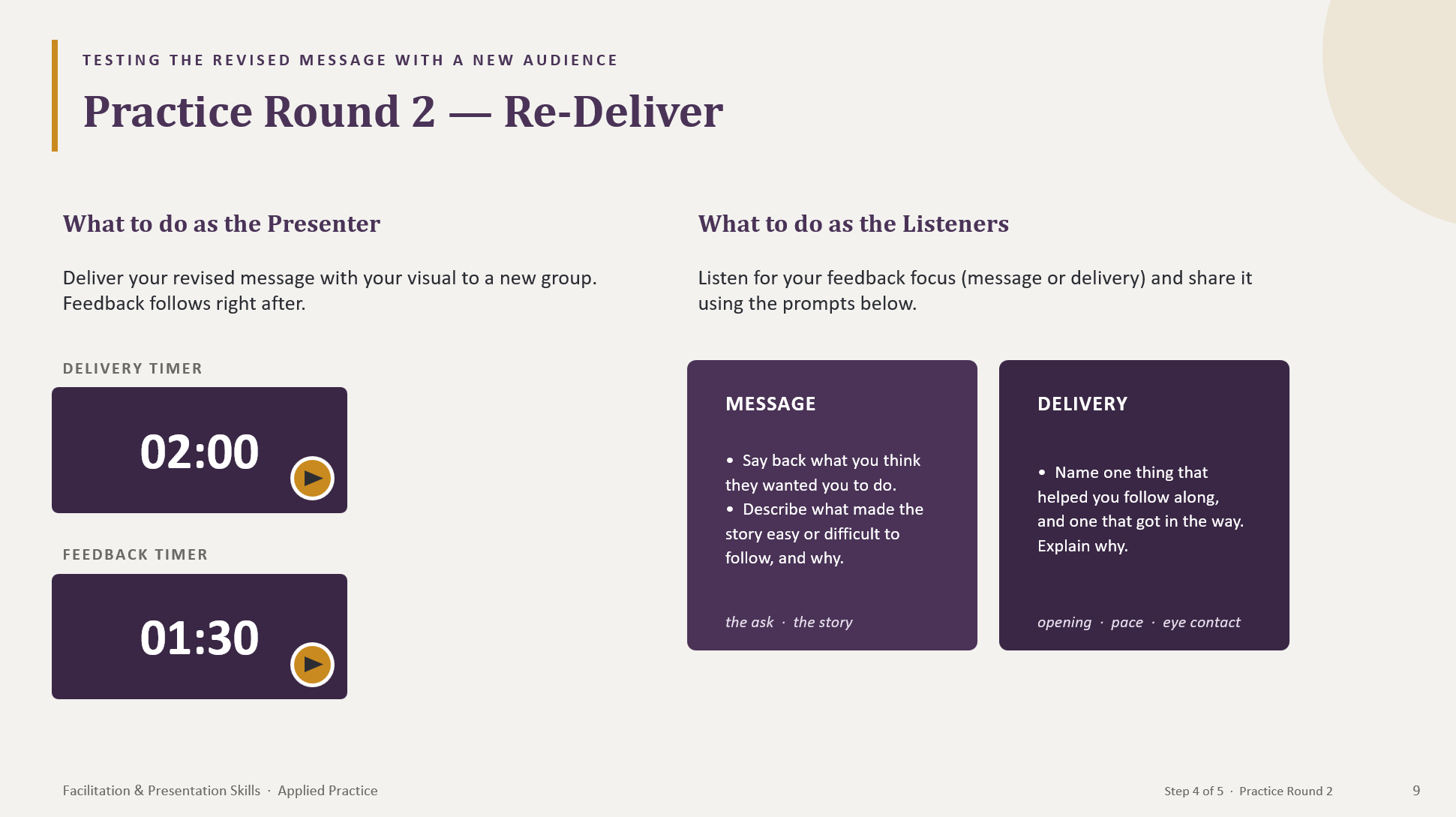
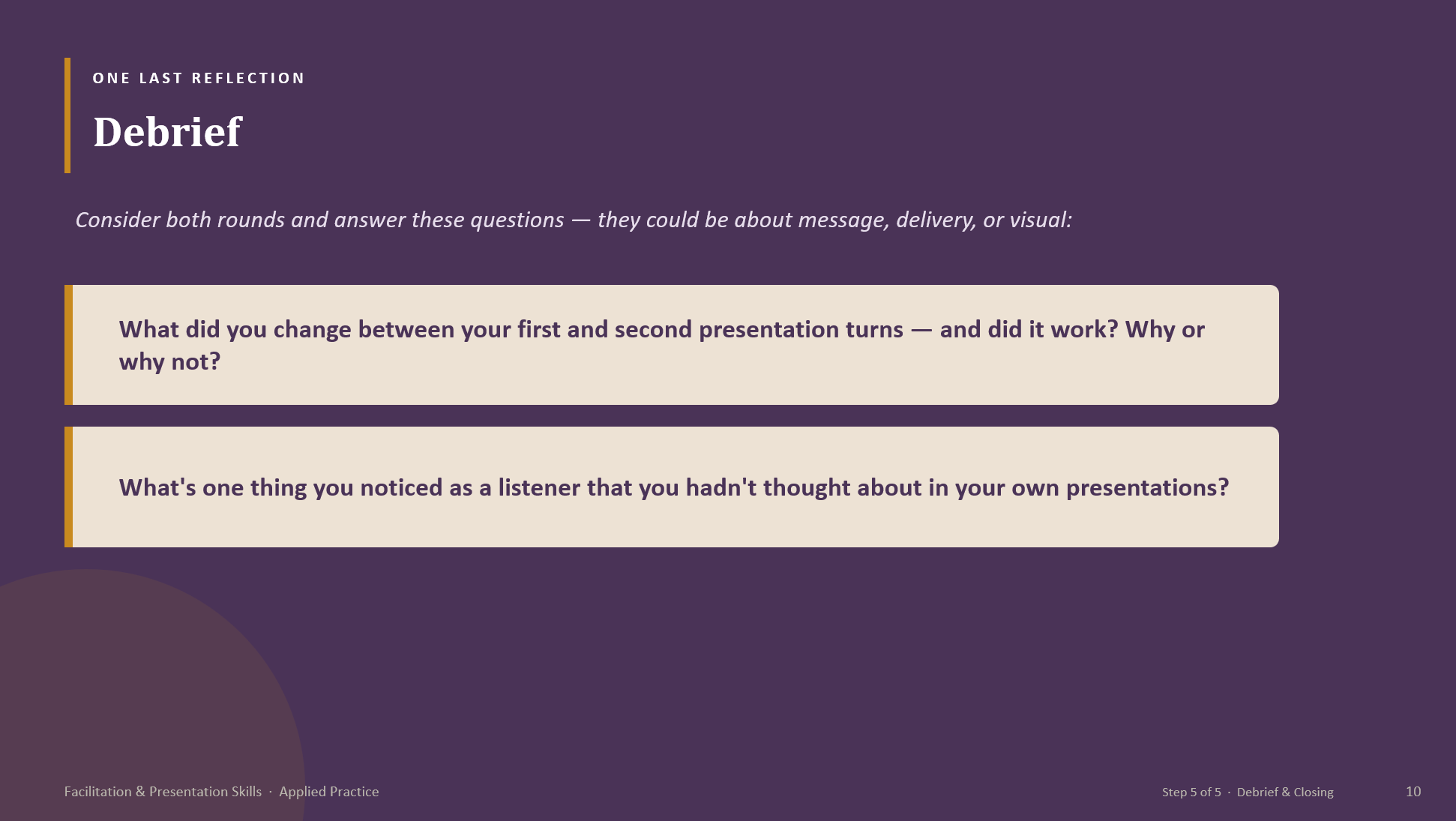
Learners delivered their message, received targeted peer feedback, identified a change to make, and then delivered again to a new group. Changing the audience gave learners a fresh test of whether their revised message was actually clearer and more effective.
Peer observers also had defined roles. One listener focused on the message while another focused on delivery, allowing each observer to pay attention to a smaller set of meaningful behaviors rather than trying to evaluate everything at once.
Designing for the Facilitator
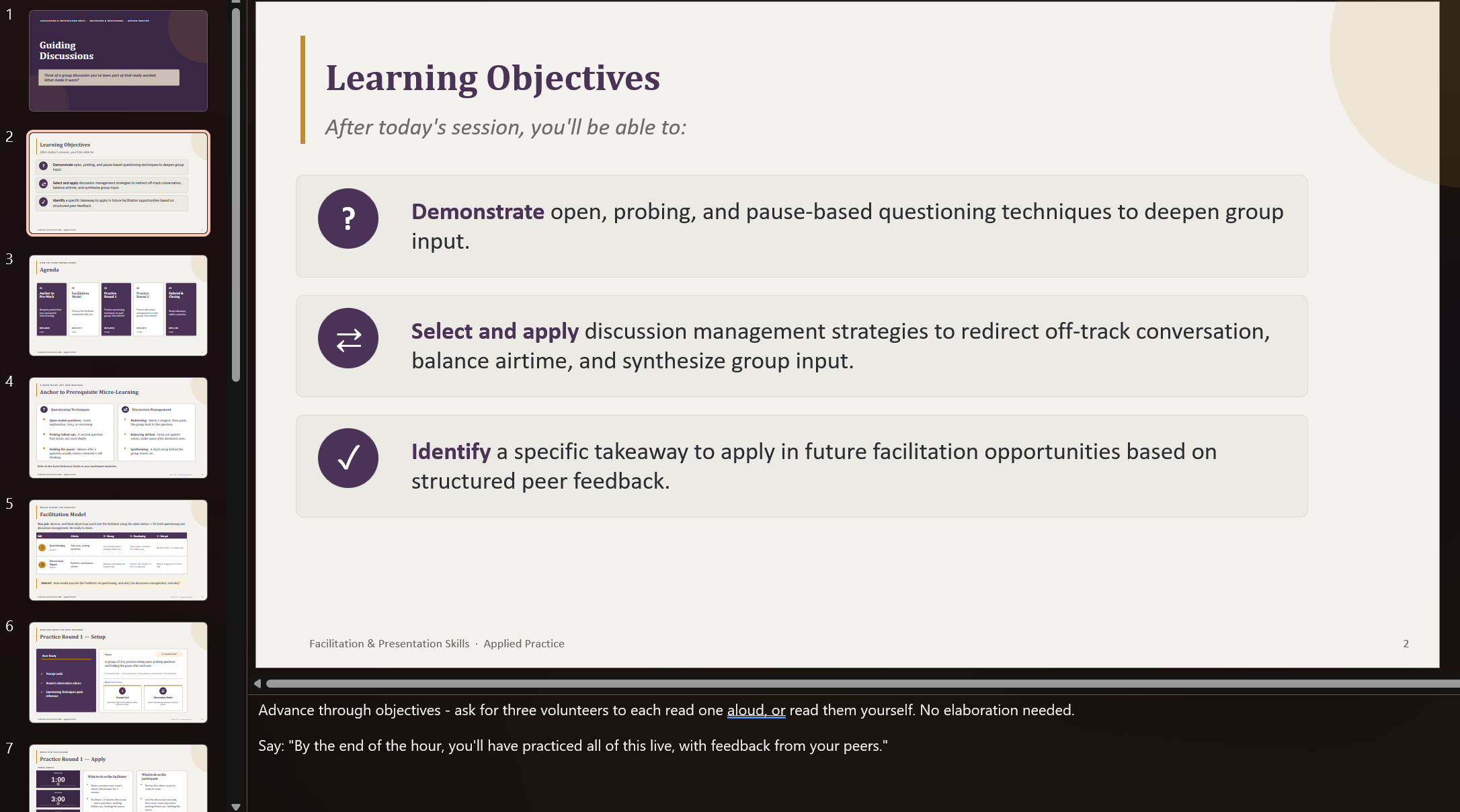
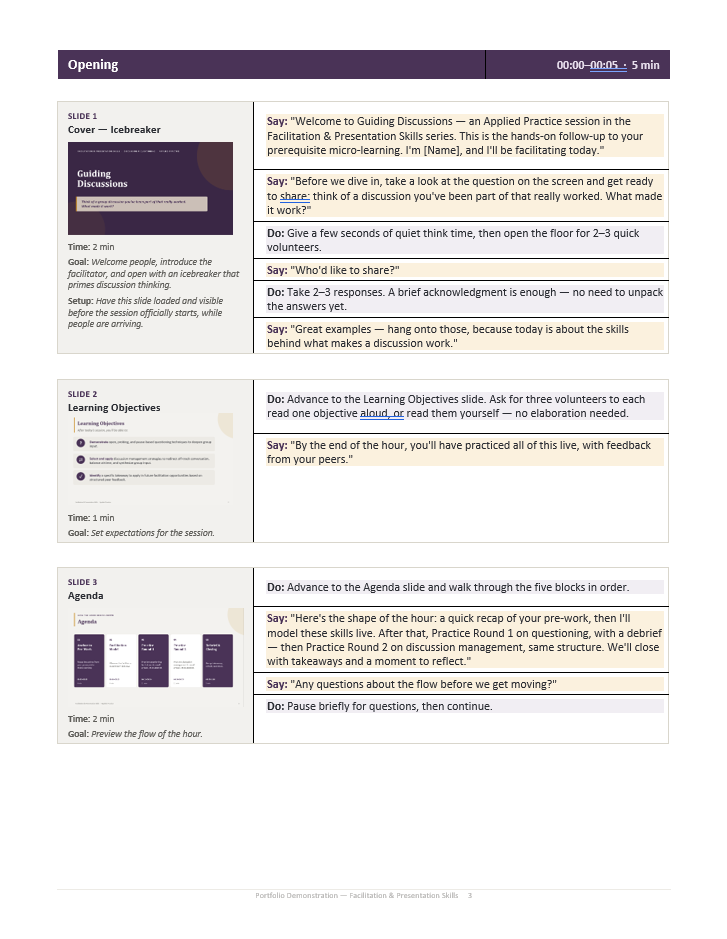
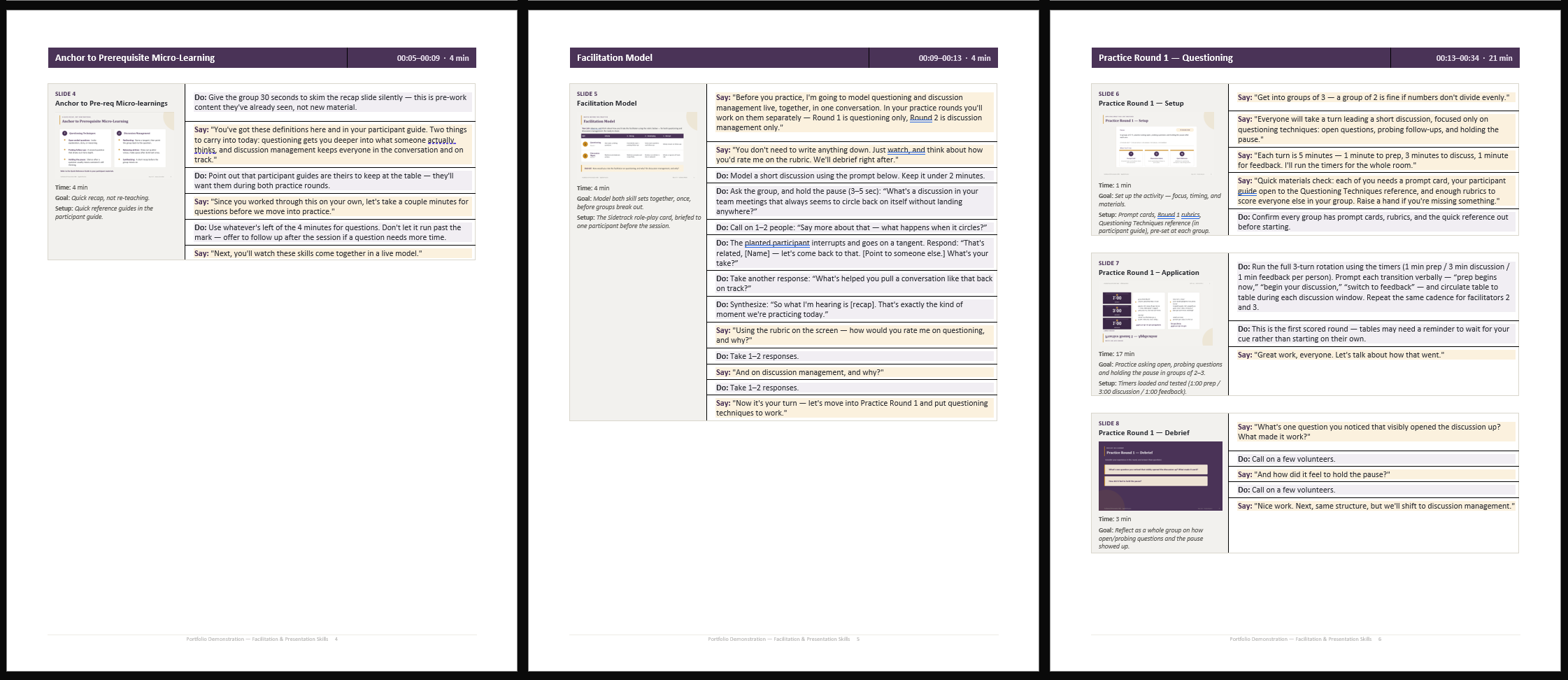
I designed multiple layers of facilitator support, including a detailed facilitator guide and presentation notes, so facilitators could use the resource that best fit their delivery style. Both provided the guidance needed to deliver the experience consistently while allowing facilitators to work in the way that felt most natural to them.
The facilitator guide translated the learning design into a minute-by-minute plan with session goals, setup requirements, suggested language, transitions, activity instructions, group logistics, and timing guidance.
I also planned for real-world delivery variables, including different group sizes, missing pre-work, technology limitations, and activity timing, so facilitators could adapt without losing the intent of the experience.
Designing for the Participant
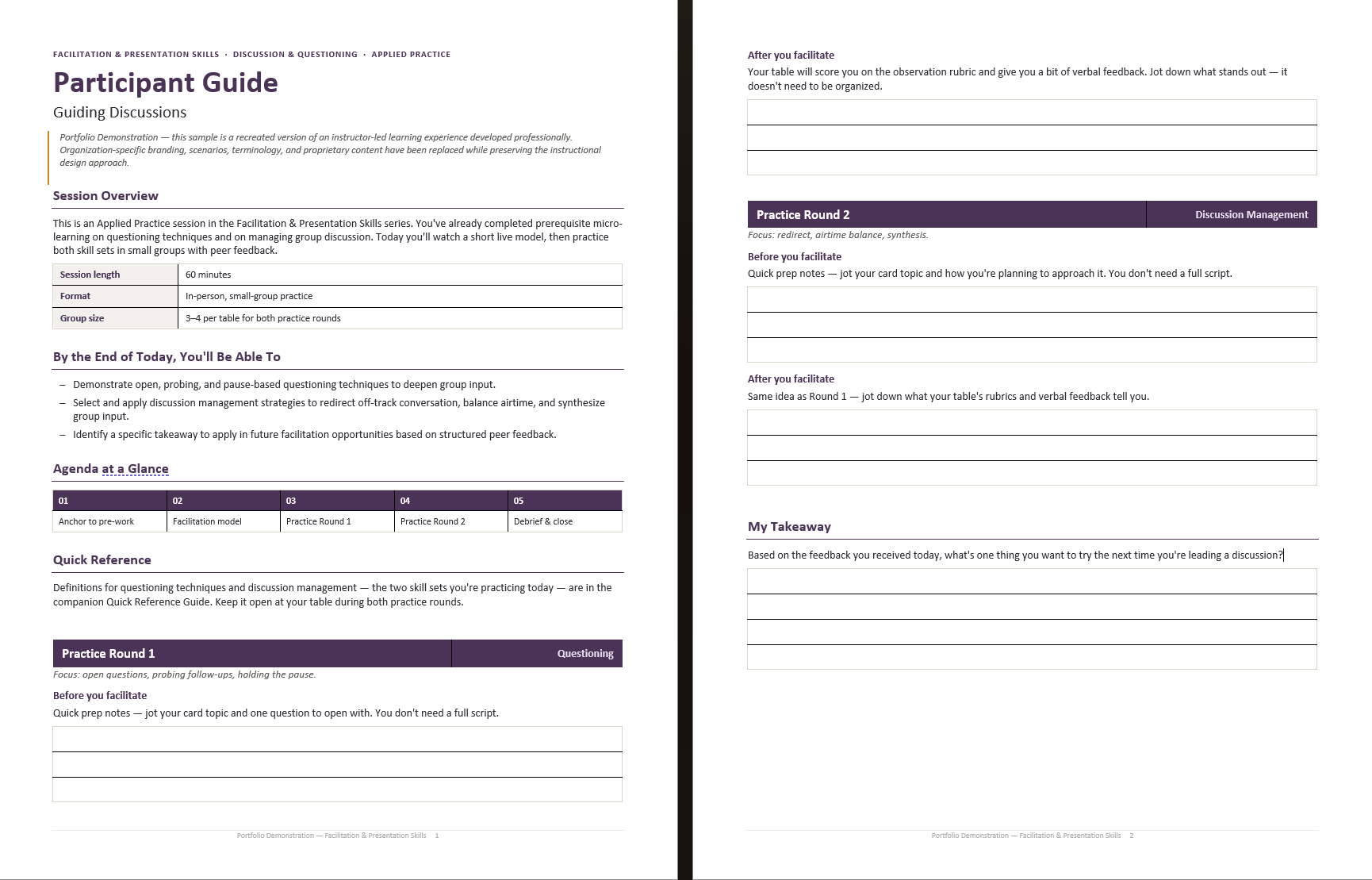
Participant materials were designed as working tools rather than passive handouts.
Throughout the workshops, learners used their guides to reference key concepts, prepare for practice, capture peer feedback, reflect on their performance, and identify actions to carry into future workplace situations. The materials provided enough structure to support learners without scripting the experience for them.
Designing with AI
Both workshops were built on a compressed timeline: a complete first draft in one week, followed by two weeks of stakeholder review and revision. AI is what made that schedule possible, but only for specific parts of it.
I ran the entire build inside a single continuous working session with Claude, with source materials attached rather than pasted in piece by piece. That persistent context is what made it a production workflow rather than a series of prompts. The objectives, audience, and structural decisions stayed live across the whole build, so the facilitator guide, participant materials, slide narrative, role-play cards, and observation tools were drafted as one connected system instead of separate documents I would have to reconcile later.
The design decisions were not part of that. The practice-first structure, the progression from isolated skill rehearsal to real-time adaptation, the separate roles for peer observers, the second delivery to a new audience — those came from the instructional problem, and they set the constraints every generated draft had to work inside.
The work was in the editing. Each draft was revised against those constraints and checked against the source micro-learnings and learning objectives before anything went to review. Stakeholder feedback then went back into the same working context, so a change to one artifact carried correctly into the others rather than leaving the guide, participant materials, and slides out of sync.
Used this way, AI shortened the distance between a design decision and a usable draft. It did not make the decisions.
Reflection
Designing these practice labs reinforced the importance of treating instructor-led learning as an experience rather than a presentation.
The most valuable live learning time wasn't spent explaining more content. It was spent creating the conditions for learners to try a skill, see how others approached it, receive focused feedback, make an adjustment, and try again.
The project also challenged me to design simultaneously for two audiences: the learner participating in the experience and the facilitator responsible for bringing that experience to life.
A New Take on the Sample Materials
The same content can support very different learning experiences. I repurposed the Guiding Discussions sample materials PDF as the source for a short Adobe Acrobat AI Assistant video tutorial.
This allowed me to approach the same materials from a new angle, this time through scripting, screen-based instruction, visual cues, pacing, and accessibility.
The resulting microlearning instructional video shows users how to find, refine, and organize information from a long PDF.